Instruction
1. Download the game
Download the game client from the main page using the Download Now button. After downloading, install the game client on your device.
2. Registration in the game client
Create your account directly in the game client. During registration you need to enter your Account, Password and Secret Key.
2.1 Account Login
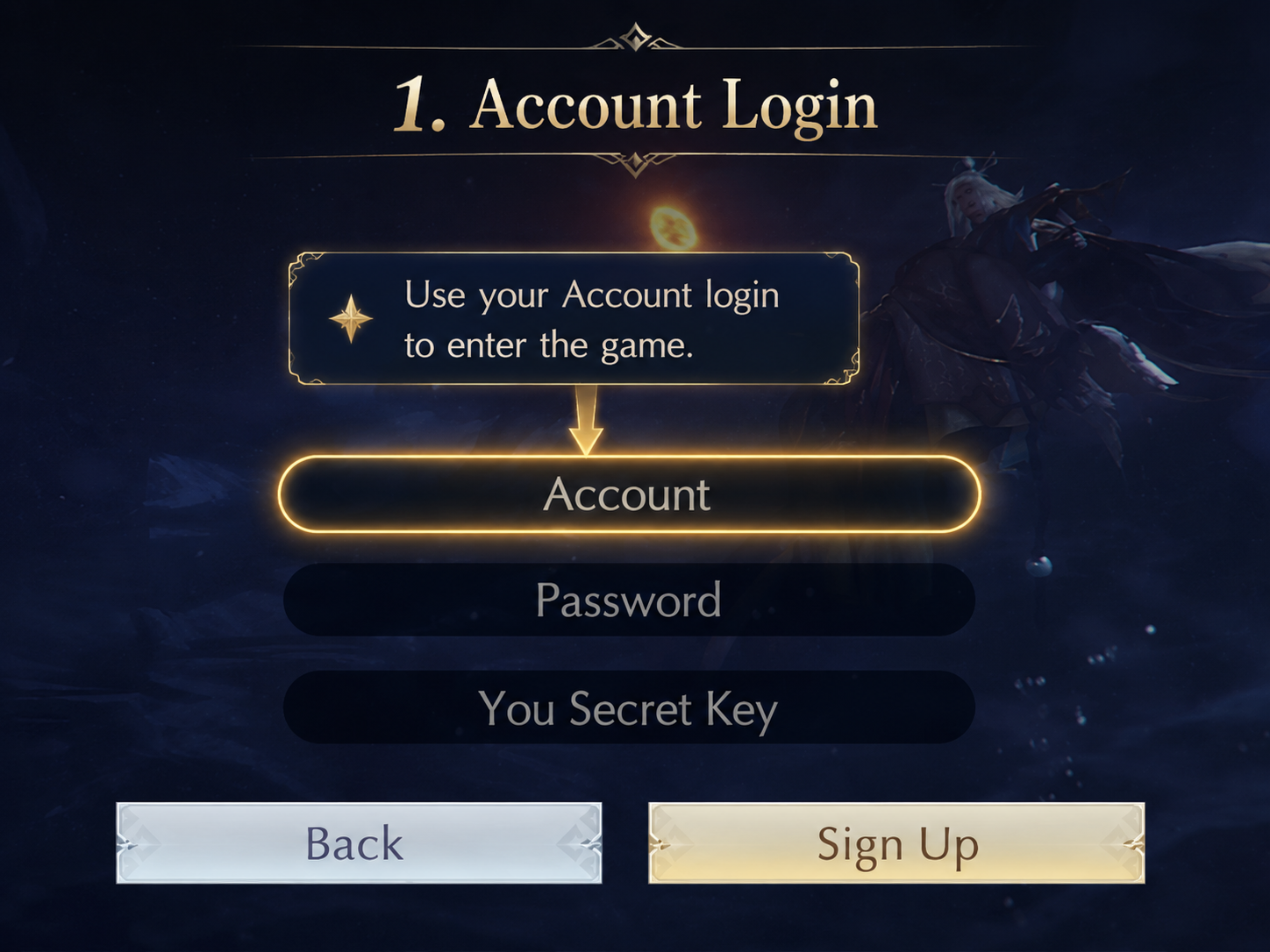
The Account field is your game login. You will use this login later to enter the game.
2.2 Password
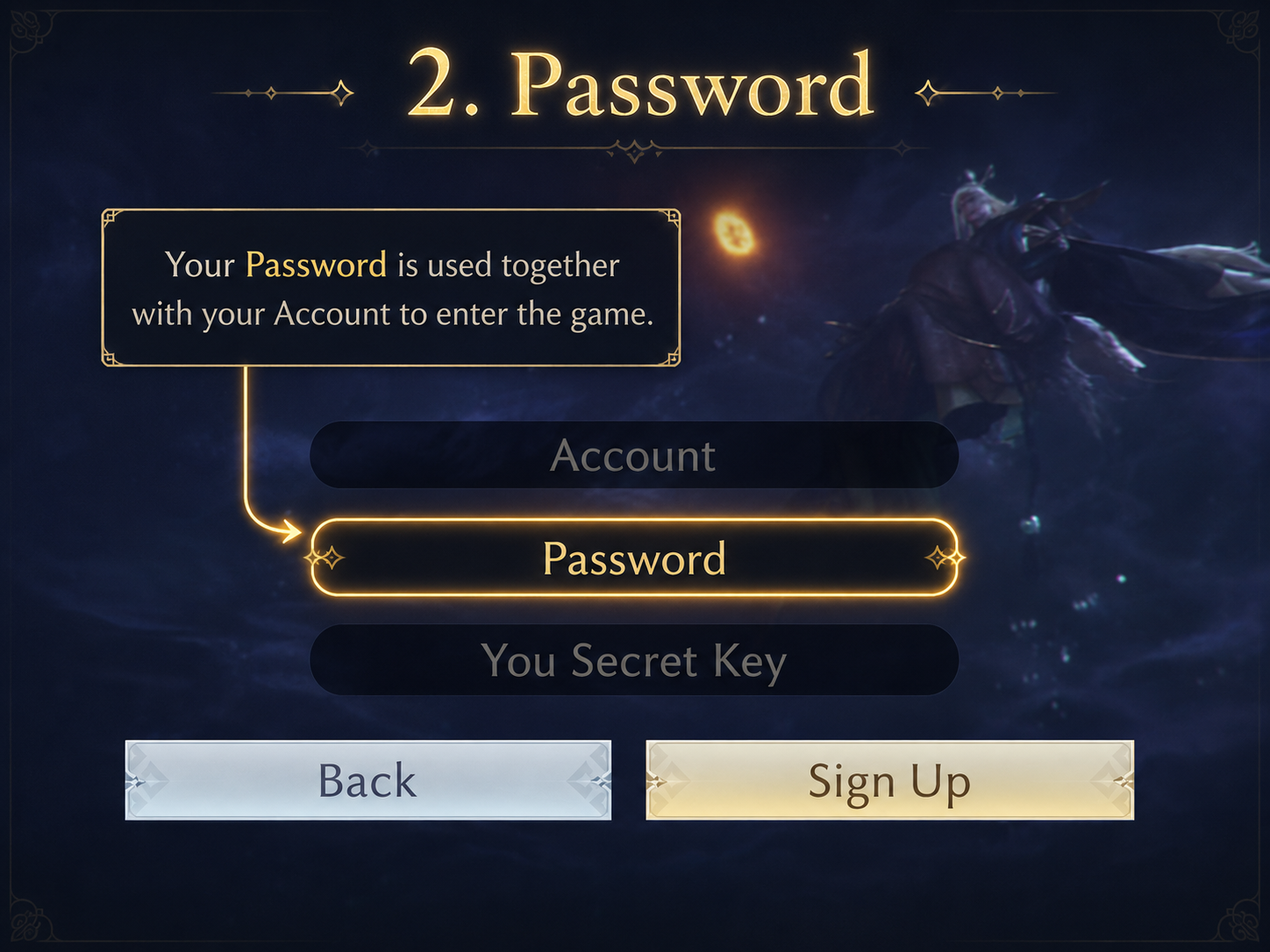
The Password field is used together with your Account login to enter the game. Create a password that you can remember.
2.3 Secret Key
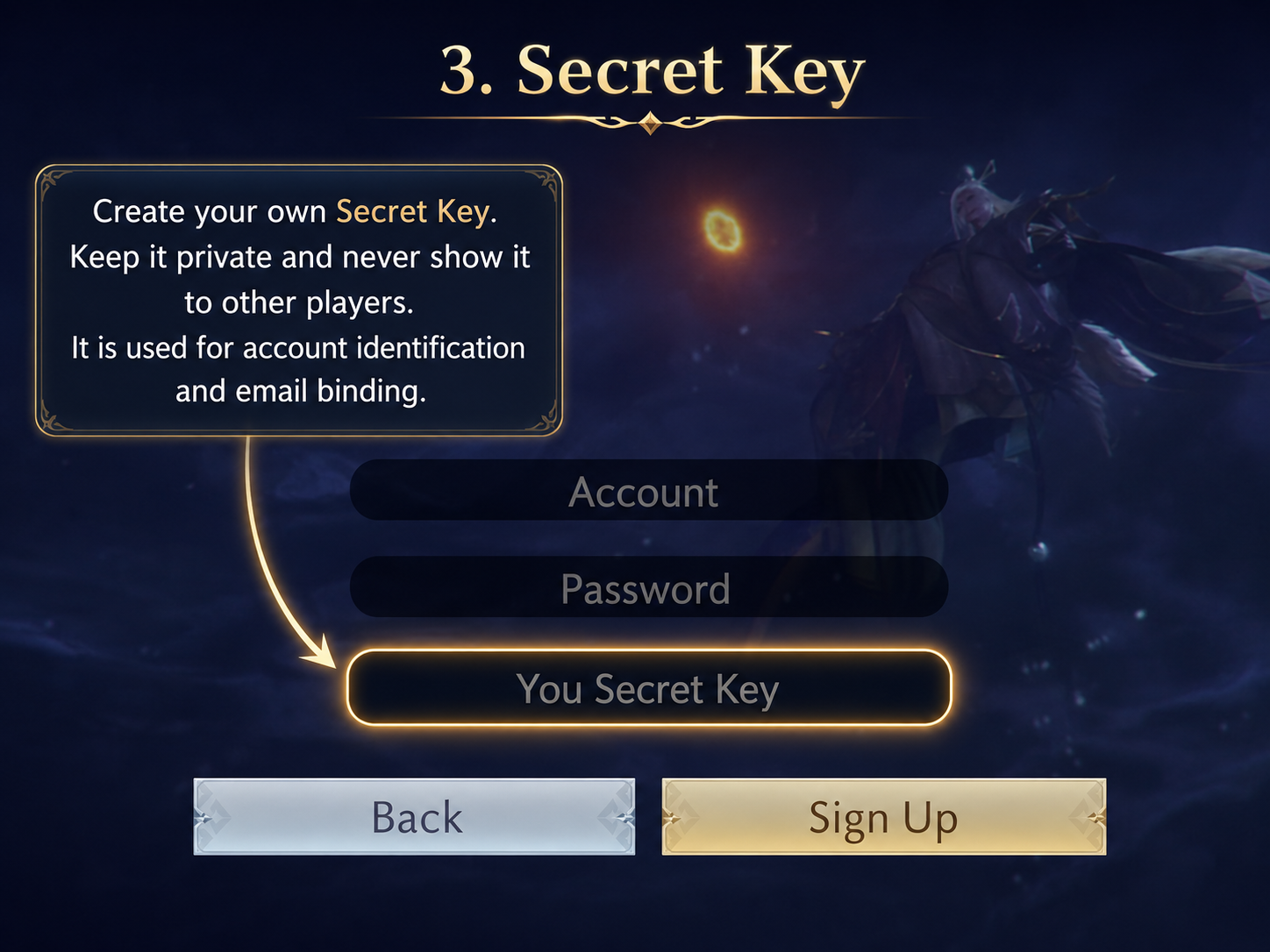
The Secret Key is your personal account identifier. You create it yourself during registration.
The Secret Key is used for account verification and for binding your email address on the website.
3. Bind your email
After creating your account in the game, open the Bind Email page on the website. On this page you need to enter your game login, your Secret Key and your email address.
3.1 Enter your game login
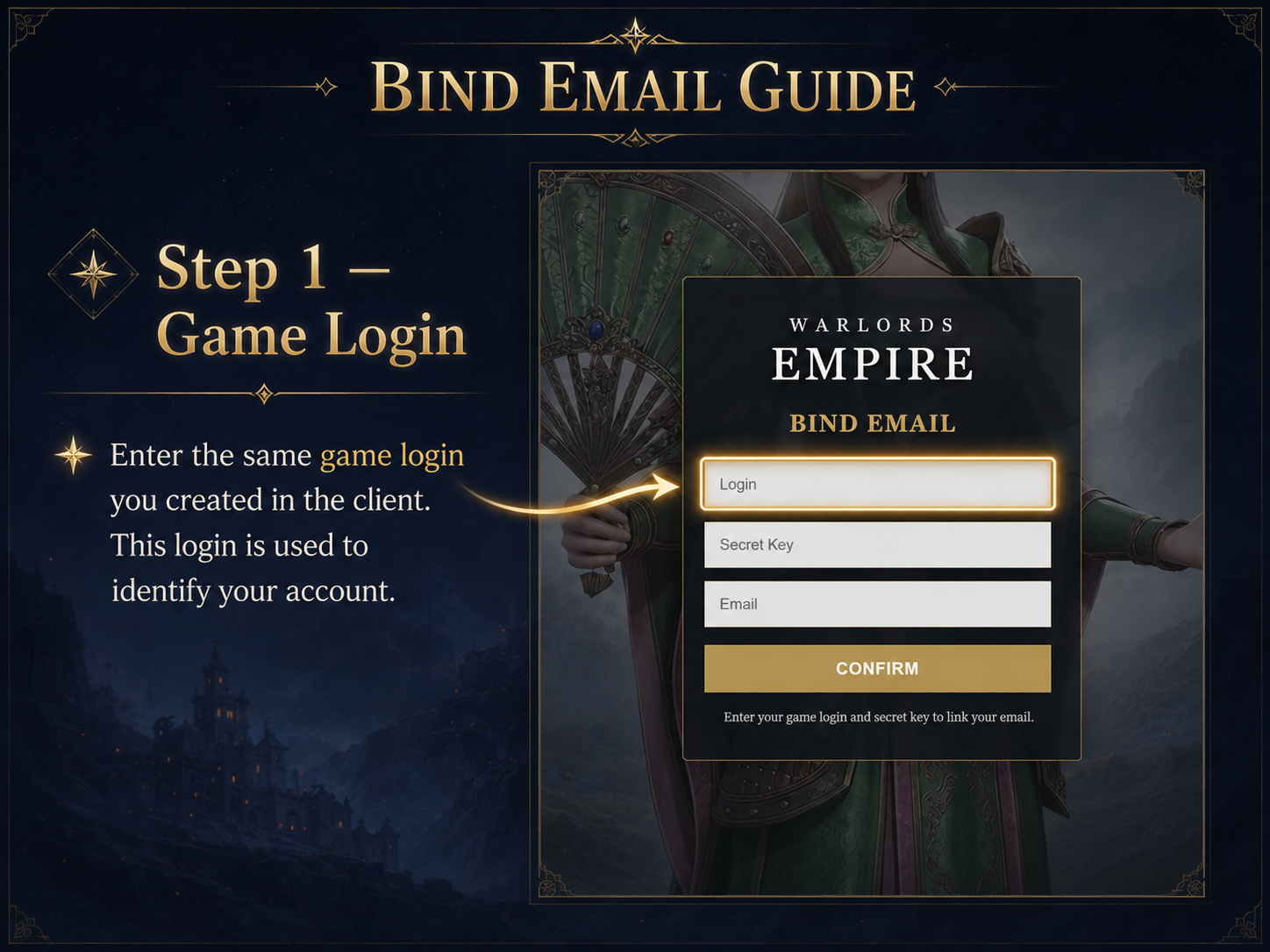
In the Login field, enter the same game login that you created during registration in the client.
3.2 Enter your Secret Key
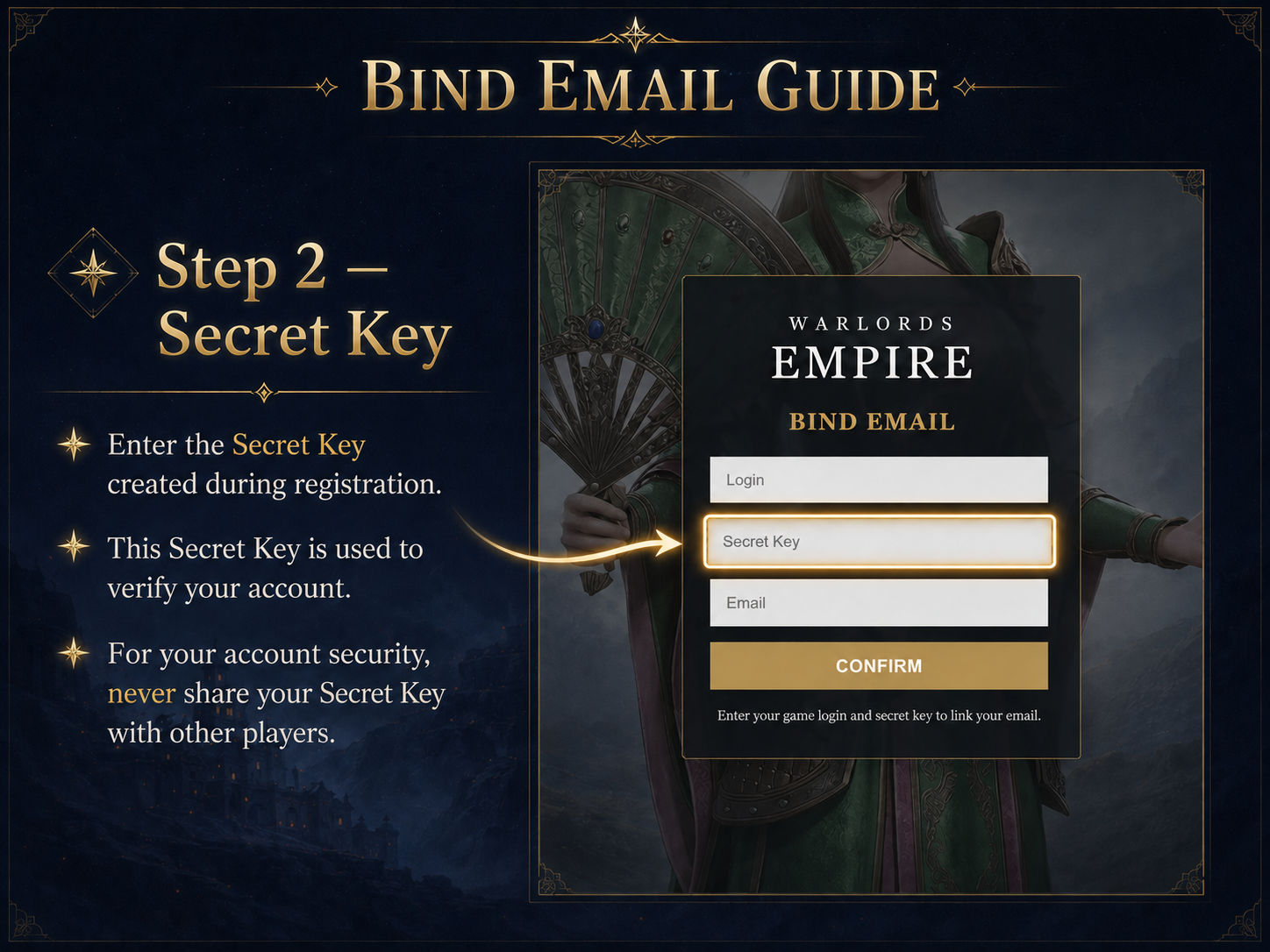
In the Secret Key field, enter the Secret Key that you created during registration.
3.3 Enter Email and press Confirm
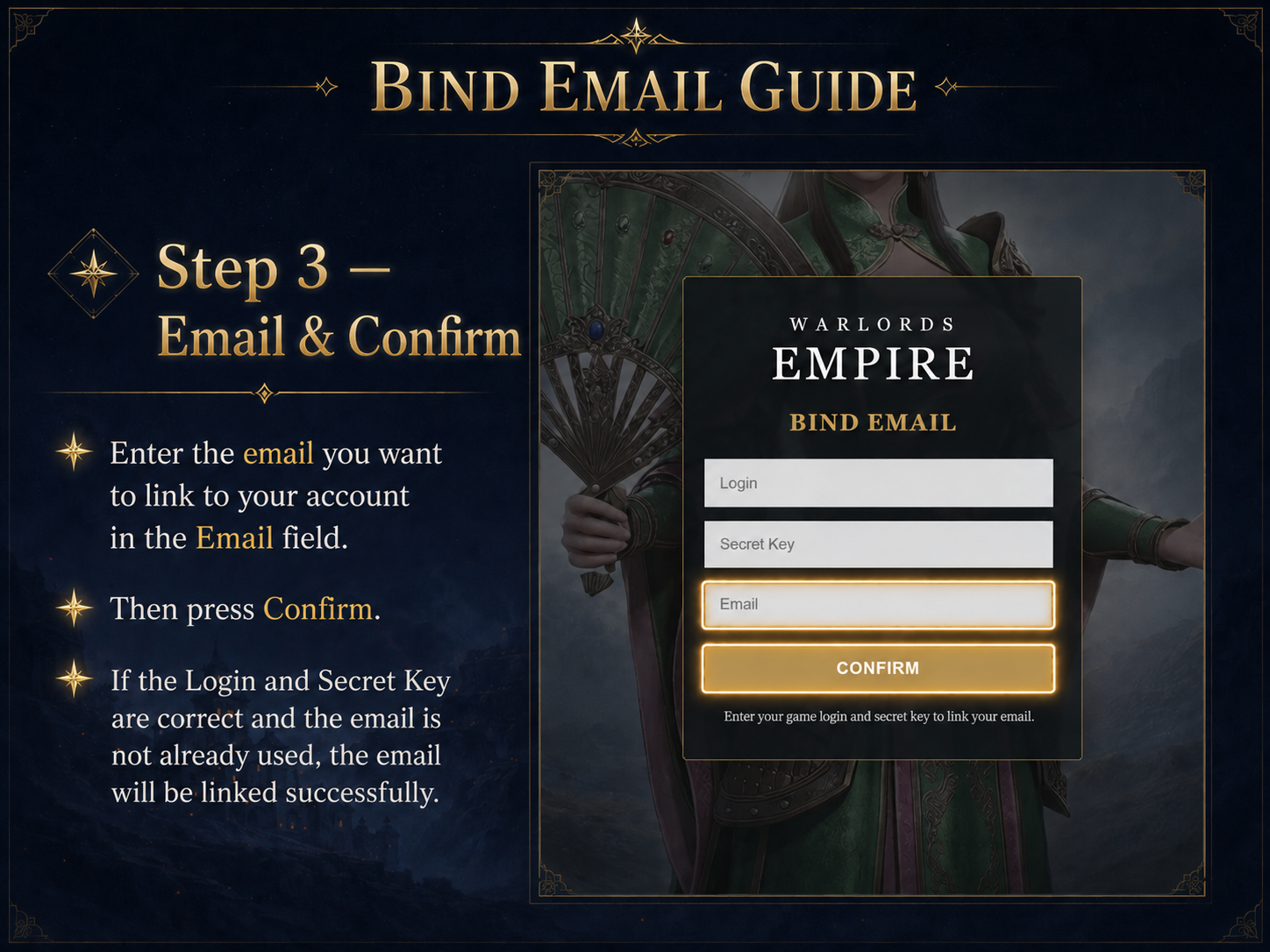
In the Email field, enter the email you want to link to your account. Then press the Confirm button.
If the login and Secret Key are correct, and the email is not already used, the email will be linked successfully.
4. Buy coins
Open the Buy Coins page and complete the payment. After payment, follow the server instructions.